THE GRAPHICS CAMPAIGN & COST INTELLIGENCE PLATFORMFREE TO USE · FROM ONE WALL TO YOUR WHOLE PROGRAMME
Graphic Accord
GRAPHIC ACCORD / MARKET RESEARCH & PRODUCT LAB

THE NEXT
ADVANTAGE.

Better displays need more than another dashboard. Follow the real production problems, the documented market workflows and the tools built to make the next campaign more effective.

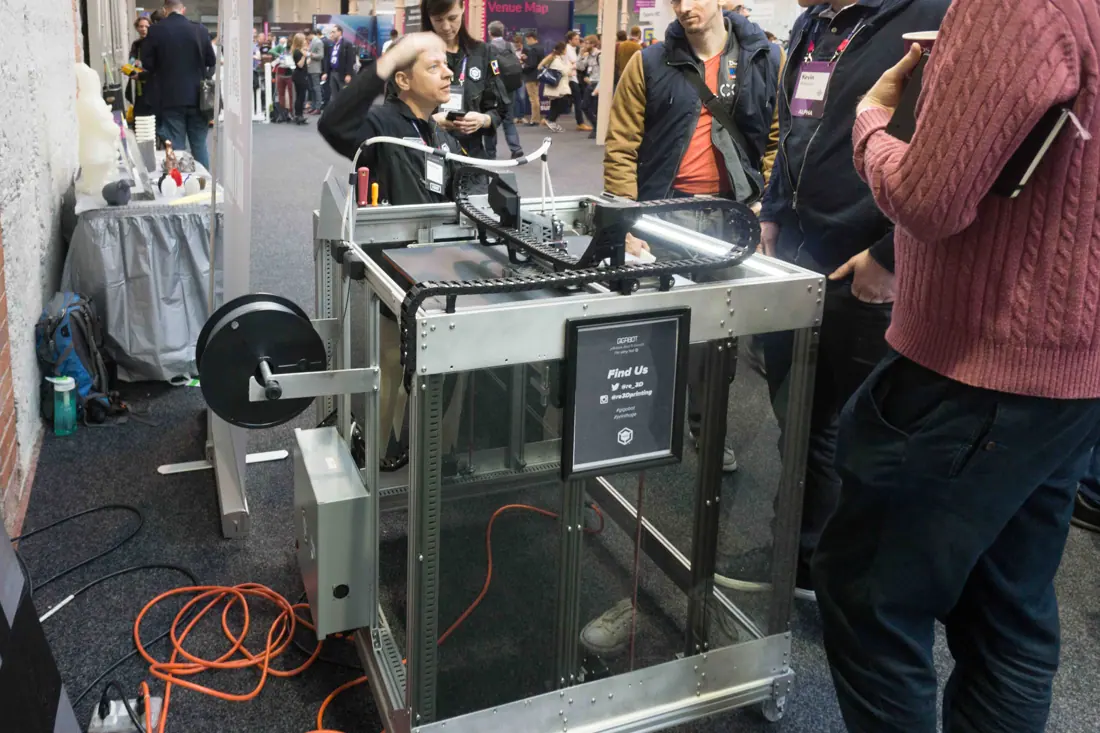
GIGABOT 3D PRINTER AT THE WEB SUMMIT IN DUBLIN 2015 (Re-3D)-109808 — illustrative display or production context
FROM OBSERVATION TO WORKING SOFTWARE

LESS REWORK.
MORE RETURN.
BETTER EVIDENCE.

Current research: 43 selected platforms across events, print production, physical assets, brand systems and digital signage. Official evidence checked 2026-10-05.

Start your programme ↗
18ADDITIONAL PLATFORMS
73ADDITIONAL OFFICIAL SOURCES
30PROBLEMS TO SOLVE
34EVIDENCED FEATURE IDEAS

One useful route through the whole job.

Take the public tools offline ↗
01

Brief & freeze

Set the same finished scope before comparing.

OPEN ↗
02

Check supplier fit

Keep must-have capability evidence beside price.

OPEN ↗
03

Compare the full cost

Include delivery, fitting, returns and unknown charges.

OPEN ↗
04

Work back from fitting

Separate proof, production, freight and fixed cutoffs.

OPEN ↗
05

Record the actual asset

Keep ownership, component evidence and returns.

OPEN ↗
06

Deliver the right version

Review brand, physical context and punch-list issues.

OPEN ↗
07

Measure the actual campaign

Compare expected and observed outcomes with consistent denominators.

OPEN ↗
08

Trace every scope change

Identify prices, proofs and carbon evidence to review.

OPEN ↗
09

Stress the backup plan

Check named disruption costs and hard delivery constraints.

OPEN ↗
10

Keep the next use clear

Record actual condition and recovery evidence.

OPEN ↗

102 research records. No filter applied.

Turn the costly gaps into useful work.

P01 / MARKET OBSERVATION

Real installed cost is hidden behind a unit price

Supplier delivery, fabrication, site access and labour change total economics; clients may underestimate logistics.

Product response: Compare the complete frozen-scope installed cost, expose missing charges and keep quality/capacity evidence alongside the price.

P02 / MARKET OBSERVATION

Late artwork changes consume the delivery buffer

Proof changes, unclear approval and compressed schedules create rework and commercial pressure.

Product response: Work backwards through proof, manufacture, freight and install milestones; invalidate readiness when the scoped revision changes.

P12 / MARKET OBSERVATION

Cheap offers obscure delivery competence and capacity

Skills, workload and contractor coordination affect whether a low price can be safely and reliably delivered.

Product response: Use evidence-dated supplier questions, scope/capacity flags and auditable user-weighted criteria rather than unverified star ratings.

M2-P04 / MARKET OBSERVATION

Benchmark scores can drift after an event closes

A composite's reference population can change after survey closure.

Product response: Freeze benchmark version/date for board reports and label recomputed comparisons.

M2-P12 / MARKET OBSERVATION

A single carbon number conceals data weakness

Activity and factor uncertainty differ; correlated inputs and comparison rules matter.

Product response: Display data quality, boundaries, missing values and labelled sensitivity scenarios without invented confidence.

The conditions are changing.

T02 / OBSERVED DIRECTION

Reusable displays need lifecycle evidence

Better Stands and IBC describe reusable components with checks across design, build and dismantle.

GRAPHIC ACCORD FUTURE INFERENCE

Physical asset passports linked to actual custody could become a practical foundation for multiple-show procurement.

Horizon 2026–2028 · confidence medium. Adoption and outcomes remain uncertain.
T03 / OBSERVED DIRECTION

Brand systems connect approved assets to AI tools

DAM guidance includes agent support and Bynder documents permission-aware MCP retrieval.

GRAPHIC ACCORD FUTURE INFERENCE

Evidence-linked retrieval may help small teams use current brand rules, but consequential approval should remain with authorised people.

Horizon 2026–2028 · confidence medium. Adoption and outcomes remain uncertain.
T04 / OBSERVED DIRECTION

Print workflows automate smaller faster jobs

FESPA identifies automation, quick turnaround and low-volume jobs as research priorities.

GRAPHIC ACCORD FUTURE INFERENCE

Validated brief import and deterministic preflight can reduce repeated admin before any optional model-generated proposal.

Horizon 2026–2028 · confidence medium. Adoption and outcomes remain uncertain.
T05 / OBSERVED DIRECTION

Sustainability becomes continuity planning

The isla interview ties event sustainability to climate, price and supply-chain risks.

GRAPHIC ACCORD FUTURE INFERENCE

Procurement tools may increasingly compare availability, repairability and recovery options alongside cost and emissions.

Horizon 2026–2028 · confidence medium. Adoption and outcomes remain uncertain.
T06 / OBSERVED DIRECTION

Data quality becomes part of environmental credibility

Correct factor blanks and evidence-based sector assessments show why consistent inputs matter.

GRAPHIC ACCORD FUTURE INFERENCE

Products that disclose uncertainty and reuse source evidence may be more useful than tools that simply produce attractive totals.

Horizon 2026–2028 · confidence medium. Adoption and outcomes remain uncertain.
T07 / OBSERVED DIRECTION

Physical and digital campaign operations converge

Screen networks already manage versioned content, schedules and playback evidence.

GRAPHIC ACCORD FUTURE INFERENCE

A common campaign brief could coordinate printed displays and screen content while keeping their observation methods distinct.

Horizon 2026–2028 · confidence medium. Adoption and outcomes remain uncertain.
T08 / OBSERVED DIRECTION

Local content needs governance without bottlenecks

Shared templates and approval projects support local production within protected brand elements.

GRAPHIC ACCORD FUTURE INFERENCE

Campaign tools may offer field-level local variants and reusable reviewer rules instead of multiplying template copies.

Horizon 2026–2028 · confidence medium. Adoption and outcomes remain uncertain.
T09 / OBSERVED DIRECTION

Experience design moves beyond a badge scan

Primary exhibitor research discusses demonstrations, objectives and organiser-support gaps.

GRAPHIC ACCORD FUTURE INFERENCE

Graphic briefing could include a message-to-action hypothesis and a practical measurement plan rather than visual appearance alone.

Horizon 2026–2028 · confidence medium. Adoption and outcomes remain uncertain.
T10 / OBSERVED DIRECTION

Accessibility shifts earlier in procurement

Sourcing priorities and accessible-format guidance both call for planning accessibility in advance.

GRAPHIC ACCORD FUTURE INFERENCE

Format deadlines, audience checks and readability screening can become normal brief fields, while qualified review remains essential.

Horizon 2026–2028 · confidence medium. Adoption and outcomes remain uncertain.
T11 / OBSERVED DIRECTION

Evidence interoperability addresses supplier friction

Sector commentary asks for alignment and existing credible standards rather than duplicate portals.

GRAPHIC ACCORD FUTURE INFERENCE

Open export mappings and reusable supplier evidence may lower repeated administrative burden across organiser systems.

Horizon 2026–2028 · confidence medium. Adoption and outcomes remain uncertain.
T12 / OBSERVED DIRECTION

Staff capacity remains a planning constraint

Resource scheduling and supplier recruitment/retention pressure make people availability material.

GRAPHIC ACCORD FUTURE INFERENCE

Future optimisation should include skills, working calendars and realistic workload rather than treating all installation labour as interchangeable.

Horizon 2026–2028 · confidence medium. Adoption and outcomes remain uncertain.
M2-T01 / OBSERVED DIRECTION

Objectives are increasingly linked to investment decisions

Current vendor guidance connects participant behaviour and commercial outcomes to stated objectives.

GRAPHIC ACCORD FUTURE INFERENCE

A graphics brief can include a measurable outcome contract and a planned evidence review.

Horizon 2026–2028 · confidence medium. Adoption and outcomes remain uncertain.
M2-T03 / OBSERVED DIRECTION

Physical journeys have more measurable touchpoints

App, tag and badge approaches expose footfall, dwell, session and booth interactions.

GRAPHIC ACCORD FUTURE INFERENCE

Optional privacy-aware imports could inform display placement while keeping activity distinct from causality.

Horizon 2026–2028 · confidence medium. Adoption and outcomes remain uncertain.
M2-T06 / OBSERVED DIRECTION

Readiness is becoming evidence-based

Task systems distinguish verification types; official guidance asks for competence and resource evidence.

GRAPHIC ACCORD FUTURE INFERENCE

An evidence receipt can replace ambiguous completion ticks without claiming certification.

Horizon 2026–2028 · confidence medium. Adoption and outcomes remain uncertain.
M2-T07 / OBSERVED DIRECTION

Visitor access and resilience span the full journey

Official guidance links arrival, circulation, exit, staffing and backup communications.

GRAPHIC ACCORD FUTURE INFERENCE

Wayfinding variants and disruption playbooks could be evaluated together before production.

Horizon 2026–2028 · confidence medium. Adoption and outcomes remain uncertain.
M2-T08 / OBSERVED DIRECTION

Carbon analysis benefits from quality and uncertainty disclosure

Established GHG methods separate parameter quality, propagation assumptions and comparison limits.

GRAPHIC ACCORD FUTURE INFERENCE

A future evidence-backed uncertainty engine could prioritise measurements rather than invent precise savings.

Horizon 2026–2028 · confidence medium. Adoption and outcomes remain uncertain.

Follow the documented competitor journeys.

Original 25-platform capability matrix ↗

These 18 additional journeys follow public official guides and feature documentation. Licensed account operations and vendor performance were not tested.

Signage lifecycle and site management

SignAgent

A signage-specific database links each physical sign to location, messaging, artwork and lifecycle state.

View the 6-stage documented journey
  1. Set up

    Create client project, location plans and sign types.

    documented; no authenticated workflow executed
  2. Survey

    Plot signs and capture context, content and measurement details.

    documented; no authenticated workflow executed
  3. Program

    Categorise signs and populate messaging fields.

    documented; no authenticated workflow executed
  4. Design and review

    Upload or template artwork and move signs through review states.

    documented; no authenticated workflow executed
  5. Install

    Use installation states and photo records; create a punch list.

    documented; no authenticated workflow executed
  6. Manage

    Maintain the installed asset inventory and later issues.

    documented; no authenticated workflow executed

Recorded limits

  • Licensed account required; documentation inspected only.
  • Offline synchronisation and permissions were not tested in an account.
  • This study does not evidence global supplier-price comparison or a complete event footprint in this product.
Official platform ↗
Sign and print job management

shopVOX

A shop-facing lifecycle connects estimating, proofs, vendor purchasing, production and invoices.

View the 6-stage documented journey
  1. Capture scope

    Collect the customer brief and site requirements.

    documented; no authenticated workflow executed
  2. Estimate

    Build the quote with materials, shipping and installation.

    documented; no authenticated workflow executed
  3. Approve proof

    Agree the current artwork revision before job preparation.

    documented; no authenticated workflow executed
  4. Purchase and produce

    Raise vendor purchasing and production work orders.

    documented; no authenticated workflow executed
  5. Install

    Confirm site access, people and equipment for delivery.

    documented; no authenticated workflow executed
  6. Close

    Record completion, invoice and follow up.

    documented; no authenticated workflow executed

Recorded limits

  • Public lesson catalogue and workflow guide reviewed; no trial or account used.
  • A vendor lifecycle description is not independently measured error or margin reduction.
Official platform ↗
Sign shop estimating and production

SignTracker

Quoting templates, shared job records and resource-oriented tasks aim to keep shop work and margins visible.

View the 6-stage documented journey
  1. Collect job information

    Centralise notes, files and team tasks.

    documented; no authenticated workflow executed
  2. Estimate

    Use a job template and review costs and margin.

    documented; no authenticated workflow executed
  3. Repeat

    Clone a suitable previous quote and adjust scope.

    documented; no authenticated workflow executed
  4. Schedule

    Prioritise resource tasks and review shop workload.

    documented; no authenticated workflow executed
  5. Deliver

    Monitor status and resolve bottlenecks.

    documented; no authenticated workflow executed
  6. Invoice handoff

    Use documented accounting integration; check actual configuration.

    documented; no authenticated workflow executed

Recorded limits

  • Public feature material inspected; no recorded-demo video execution or account workflow claimed.
  • Specialised installation acceptance and carbon methodology were not established by these sources.
Official platform ↗
Signage sales-to-install operations

Zigaflow

Line-level costing and proofs connect survey, suppliers and installation sign-off.

View the 6-stage documented journey
  1. Survey

    Record the job and site requirements.

    documented; no authenticated workflow executed
  2. Quote

    Separate materials, fabrication and installation costs.

    documented; no authenticated workflow executed
  3. Proof

    Request artwork review against the affected line.

    documented; no authenticated workflow executed
  4. Purchase

    Raise supplier purchase orders from the job.

    documented; no authenticated workflow executed
  5. Fit

    Record installer completion/sign-off.

    documented; no authenticated workflow executed
  6. Invoice

    Use completion information to progress the invoice.

    documented; no authenticated workflow executed

Recorded limits

  • Journey reconstructed from an official product page; authenticated steps untested.
  • No live supplier-response integration into Graphic Accord is implied.
Official platform ↗
Brand governance and DAM

Frontify

Guidelines, assets, templates and approval presets support distributed brand production.

View the 6-stage documented journey
  1. Define governance

    Document regional rights and template controls.

    documented; no authenticated workflow executed
  2. Organise assets

    Provide authoritative metadata and version history.

    documented; no authenticated workflow executed
  3. Set reviewers

    Create topic-specific approval presets.

    documented; no authenticated workflow executed
  4. Apply rules

    Choose a decision rule and reviewer set.

    documented; no authenticated workflow executed
  5. Review publication

    Use the template publication approval process.

    documented; no authenticated workflow executed
  6. Maintain

    Update versions, permissions and rights as campaigns change.

    documented; no authenticated workflow executed

Recorded limits

  • Official help and evaluation guidance reviewed; no user account tested.
  • Approval semantics depend on the chosen rule; unanimous approval is not assumed.
  • Public page date labels conflict and are disclosed.
Official platform ↗
DAM, creative workflow and asset retrieval

Bynder

A controlled asset library provides workflow versions, annotations, review statuses and permission-aware retrieval.

View the 6-stage documented journey
  1. Configure

    Define taxonomy, user access and upload waiting room.

    documented; no authenticated workflow executed
  2. Collect

    Upload permitted assets to a workflow job.

    documented; no authenticated workflow executed
  3. Revise

    Compare versions and annotate required changes.

    documented; no authenticated workflow executed
  4. Review

    Record approved/rejected asset status.

    documented; no authenticated workflow executed
  5. Progress

    Stage owner advances the job; asset status alone does not gate progress.

    documented; no authenticated workflow executed
  6. Retrieve

    Find permitted assets through library or configured MCP.

    documented; no authenticated workflow executed

Recorded limits

  • Asset review status is informational, not an automatic job-progression block.
  • MCP needs active DAM and guideline access needs an additional package.
  • Documentation inspected; permissions and AI answers not exercised.
Official platform ↗
Brand templates and local campaign governance

Papirfly

Locked brand templates and multiple approval projects support local variations without uncontrolled copies.

View the 6-stage documented journey
  1. Find approved resources

    Start from the brand portal and campaign library.

    documented; no authenticated workflow executed
  2. Adapt template

    Change permitted local fields within brand controls.

    documented; no authenticated workflow executed
  3. Link review projects

    Attach an eligible template to active approval projects.

    documented; no authenticated workflow executed
  4. Submit

    Choose relevant project and route the document for review.

    documented; no authenticated workflow executed
  5. Review

    Use configured multi-level approval and feedback.

    documented; no authenticated workflow executed
  6. Reopen changes

    Re-review post-sign-off modifications.

    documented; no authenticated workflow executed

Recorded limits

  • Multi-project template feature currently documents Print, Graphic and Banner only.
  • Video/HTML support on that help page is future wording, not verified availability.
  • No account or actual approval executed.
Official platform ↗
Digital signage content networks

ScreenCloud

A screen-oriented workflow combines content, channels, schedules, expiry and playback evidence.

View the 6-stage documented journey
  1. Prepare media

    Organise media and expiry dates.

    documented; no authenticated workflow executed
  2. Build playlist

    Group ordered or looping media.

    documented; no authenticated workflow executed
  3. Create channel

    Combine playlists and layout zones.

    documented; no authenticated workflow executed
  4. Schedule

    Set dates/times; split cross-midnight slots.

    documented; no authenticated workflow executed
  5. Publish to screen

    Apply the channel or use temporary casting.

    documented; no authenticated workflow executed
  6. Check playback

    Review screen logs and eligible proof-of-play reports.

    documented; no authenticated workflow executed

Recorded limits

  • Proof-of-play eligibility is plan-dependent in the help guide.
  • Playback logs do not establish people viewed content, campaign conversion or carbon savings.
  • No physical player or account deployed.
Official platform ↗
Digital signage publication and playback

Signagelive by Navori

Media approvals, per-player publication processing and playback logs manage distributed screen content.

View the 6-stage documented journey
  1. Upload

    Add images, video or widgets.

    documented; no authenticated workflow executed
  2. Approve

    Required uploads wait for an approver.

    documented; no authenticated workflow executed
  3. Assemble

    Build layouts/playlists with recurrence and validity.

    documented; no authenticated workflow executed
  4. Validate

    Process supported assets and player conditions.

    documented; no authenticated workflow executed
  5. Deploy

    Write configuration and publish to each player.

    documented; no authenticated workflow executed
  6. Evidence

    Enable players/content and inspect playback logs.

    documented; no authenticated workflow executed

Recorded limits

  • Proof-of-play is an additional application and requires both player and media enabling.
  • Observed documentation is not a tested network deployment.
Official platform ↗
Digital signage scheduling and approvals

OptiSigns

A device-local schedule and proposer/approver workflow connect content changes with playback reporting.

View the 6-stage documented journey
  1. Create content

    Prepare assets and a playlist.

    documented; no authenticated workflow executed
  2. Propose

    A contributor submits playlist changes.

    documented; no authenticated workflow executed
  3. Review

    Approver examines original/proposed content.

    documented; no authenticated workflow executed
  4. Apply

    Approval changes affected screens immediately.

    documented; no authenticated workflow executed
  5. Schedule

    Set recurrence and validity for device local time.

    documented; no authenticated workflow executed
  6. Report

    Enable proof-of-play and export playback data.

    documented; no authenticated workflow executed

Recorded limits

  • Documented approval and proof-of-play plan prerequisites differ across features.
  • Rejecting a proposal discards it in the documented flow.
  • No player tested; playback does not prove audience attention.
Official platform ↗
event-outcomes-and-benchmarking

Explori

Stakeholder survey measurement and cohort-aware event benchmarking.

View the 6-stage documented journey
  1. event profile

    Create an event with recurrence, audience type and sector.

    Documented public workflow; no authenticated workflow executed.
  2. portfolio

    Assign its portfolio context.

    Documented public workflow; no authenticated workflow executed.
  3. survey association

    Associate stakeholder surveys with that event.

    Documented public workflow; no authenticated workflow executed.
  4. score

    Read KPI percentile results and their weighting.

    Documented public workflow; no authenticated workflow executed.
  5. benchmark

    Choose comparable survey categories and benchmark windows.

    Documented public workflow; no authenticated workflow executed.
  6. review

    Record benchmark date because the composite can later move.

    Documented public workflow; no authenticated workflow executed.

Recorded limits

  • Public help reviewed; no survey invitations sent or responses collected.
  • Proprietary benchmarks and weightings are not Graphic Accord data or an independently reproduced score.
Official platform ↗
managed-exhibitor-services-and-event-data

Maritz Exhibitor Services / eventBit

Managed lead strategy and tools connect booth teams to post-show follow-up.

View the 6-stage documented journey
  1. goals

    Define exhibiting success before selecting capture tools.

    Documented public workflow; no authenticated workflow executed.
  2. staff

    Align booth-team responsibilities to those goals.

    Documented public workflow; no authenticated workflow executed.
  3. qualification

    Agree prospect qualities and questions.

    Documented public workflow; no authenticated workflow executed.
  4. capture

    Scan badges or digital-literature QR touchpoints.

    Documented public workflow; no authenticated workflow executed.
  5. analyse

    Review captured leads and booth/aisle behavioural data.

    Documented public workflow; no authenticated workflow executed.
  6. follow up

    Use exhibitor exports and attendee relationship recap.

    Documented public workflow; no authenticated workflow executed.

Recorded limits

  • A service/tool family rather than a like-for-like print-production platform.
  • The late-registration landing page lacks a visible report date/sample; its percentage is not a universal 2026 forecast.
  • No demo form completed and no attendee communications sent.
Official platform ↗
visitor-location-and-session-analytics

Crowd Connected

App or wearable location methods support footfall, dwell and journey analysis.

View the 6-stage documented journey
  1. method

    Choose the app SDK or tag-based attendance method.

    Documented public workflow; no authenticated workflow executed.
  2. map

    Mark regions and relevant event time windows.

    Documented public workflow; no authenticated workflow executed.
  3. deployment

    Configure the required app/beacon or tag infrastructure.

    Documented public workflow; no authenticated workflow executed.
  4. observe

    Read device counts, dwell and movement patterns.

    Documented public workflow; no authenticated workflow executed.
  5. segment

    Review region/time behaviour segments.

    Documented public workflow; no authenticated workflow executed.
  6. export

    Export CSV/API evidence for subsequent analysis.

    Documented public workflow; no authenticated workflow executed.

Recorded limits

  • No SDK, hardware, venue map or participant tracking activated.
  • App-user/device coverage and wearable coverage are different sampling methods.
  • Location engagement does not independently prove attention, qualified demand or profit.
Official platform ↗
event-experience-leads-and-attribution

Bizzabo

Connects onsite capture and engagement data with event reporting and attribution.

View the 6-stage documented journey
  1. objectives

    Agree outcome, cost scope and observation window.

    Documented public workflow; no authenticated workflow executed.
  2. capture

    Choose QR or supported wearable capture.

    Documented public workflow; no authenticated workflow executed.
  3. qualify

    Record prospect qualification rather than visits alone.

    Documented public workflow; no authenticated workflow executed.
  4. report

    Review engagement and stakeholder feedback together.

    Documented public workflow; no authenticated workflow executed.
  5. export

    Export leads to an authorised revenue system.

    Documented public workflow; no authenticated workflow executed.
  6. credit

    Disclose the chosen attribution and margin assumptions.

    Documented public workflow; no authenticated workflow executed.

Recorded limits

  • Public product pages and a method guide reviewed; no paid backend/demo account.
  • Vendor case-study uplift and benchmark statistics are not promises for Graphic Accord.
  • Attribution credit is distinct from experimentally demonstrated incrementality.
Official platform ↗
exhibitor-lead-workflows

PheedLoop

Exhibitor-specific badge scanning, prioritisation and owner/time reporting.

View the 6-stage documented journey
  1. exhibitor

    Select the exhibitor represented in the mobile app.

    Documented public workflow; no authenticated workflow executed.
  2. scan

    Capture an attendee badge using the app camera.

    Documented public workflow; no authenticated workflow executed.
  3. qualification

    Set priority and answer any configured form.

    Documented public workflow; no authenticated workflow executed.
  4. save

    Save the captured record.

    Documented public workflow; no authenticated workflow executed.
  5. review

    Filter portal results by date, rating and owner.

    Documented public workflow; no authenticated workflow executed.
  6. export

    Download authorised results from the exhibitor portal.

    Documented public workflow; no authenticated workflow executed.

Recorded limits

  • Help states Lead Retrieval is purchased; no purchase/account performed.
  • The OnSite app's results access and the Go! workflow are not assumed identical.
  • No Graphic Accord native badge integration is claimed.
Official platform ↗
organiser-speaker-content-workflows

Sessionboard

Role-relevant portals, deadlines and agenda constraints reduce organiser chasing.

View the 6-stage documented journey
  1. participants

    Create role-filtered contact or exhibitor portals.

    Documented public workflow; no authenticated workflow executed.
  2. task library

    Build reusable tasks, files and forms.

    Documented public workflow; no authenticated workflow executed.
  3. deadlines

    Assign tasks with due dates and deliberate grace windows.

    Documented public workflow; no authenticated workflow executed.
  4. preview

    Preview what the affected participant actually sees.

    Documented public workflow; no authenticated workflow executed.
  5. schedule

    Place sessions and resolve person/room overlaps.

    Documented public workflow; no authenticated workflow executed.
  6. completion

    Review task statuses and deadline/visibility exceptions.

    Documented public workflow; no authenticated workflow executed.

Recorded limits

  • The task training URL redirects to Portals 101; counted once at its canonical URL.
  • Current public help and transcripts inspected; no organiser account operated.
  • Agenda checks are not proof of venue/crew/print-production feasibility.
Official platform ↗
registration-personalisation-and-event-data

Swoogo

Participant-specific registration and cross-event engagement reporting.

View the 6-stage documented journey
  1. template

    Use an event template to structure recurring builds.

    Documented public workflow; no authenticated workflow executed.
  2. registration

    Ask conditional questions relevant to participant type.

    Documented public workflow; no authenticated workflow executed.
  3. communications

    Show relevant email and website content.

    Documented public workflow; no authenticated workflow executed.
  4. links

    Configure campaign links in the documented link workflow.

    Documented public workflow; no authenticated workflow executed.
  5. measure

    Compare acquisition, registration and event engagement.

    Documented public workflow; no authenticated workflow executed.
  6. export

    Share reports or pass authorised data through integrations.

    Documented public workflow; no authenticated workflow executed.

Recorded limits

  • Website training index and public walkthrough inspected; video execution/account setup not performed.
  • CRM/API capability is documented but not connected to Graphic Accord.
  • UTM association does not prove which physical graphic caused a sale.
Official platform ↗
exhibitor-tasks-and-lead-analytics

Accelevents

Exhibitor tasks and interaction-specific analytics with configurable lead definitions.

View the 6-stage documented journey
  1. booth tasks

    Create exhibitor tasks with due dates and verification type.

    Documented public workflow; no authenticated workflow executed.
  2. assign

    Assign by exhibitor, category or all exhibitors.

    Documented public workflow; no authenticated workflow executed.
  3. notify

    Publish and confirm notifications, including late additions.

    Documented public workflow; no authenticated workflow executed.
  4. capture

    Capture interactions under a stated lead definition.

    Documented public workflow; no authenticated workflow executed.
  5. review

    Review sources, qualification, dwell and shared data fields.

    Documented public workflow; no authenticated workflow executed.
  6. close

    Export results and chase incomplete tasks.

    Documented public workflow; no authenticated workflow executed.

Recorded limits

  • No exhibitor/organiser account operated; all stages are documented help journeys.
  • Counting every visitor as a lead is a configuration, not qualification or consent to all future uses.
  • Late exhibitor additions can require an extra reminder according to the help article.
Official platform ↗

What is working. What needs the next stage.

The guest tools calculate and organise your own inputs now. Shared approvals, verified custody, live RFQs and secure team evidence need separately tested engine services and participating partners.

F01 / Useful on this deviceWorking foundation; extension planned

Business-day critical path

A quote lead time can miss proof, freight or installation deadlines.

Available today: Backward working/calendar-day proof, production, freight and fitting milestones with manual holidays, fixed cutoffs, unknown-input gaps and tentative calendar export.

Acceptance tests & dependencies
  • Enter each milestone duration and a working-week pattern.
  • Exclude explicitly entered closure dates and calculate backwards from site access.
  • Show negative slack, missing durations and impossible sequences.
  • Export tentative calendar milestones without making bookings.

Dependencies: Typed dates/durations · User-entered closure calendar · Frozen specification

Further work: Direct binding of the frozen command-centre snapshot into this separate workbook · Shared confirmations and server task ownership

Open the working tool ↗
F02 / Useful on this deviceWorking guest feature

Physical graphics asset passports

Reusable display condition, identity and return plans are lost between shows.

Available today: Typed owned, hired and consumable assets, component materials and scoped evidence, actual deployments, condition and return logs with portable inputs.

Acceptance tests & dependencies
  • Record separate hardware, print skin and packaging assets.
  • Record measured dimensions, condition, location and evidence references.
  • Separate intended next use from actual returned/inspected state.
  • Export a portable passport without claiming a third-party rating.

Dependencies: Typed asset registry · Inspection/status vocabulary

Further work: Authorised shared custody and secure photographic files · Registered product-specific passports where legally required

Open the working tool ↗
F03 / Useful on this deviceWorking foundation; extension planned

Circular return and recovery register

A material promise does not identify who receives it after dismantle.

Available today: Record planned recovery routes and actual inspection/return evidence; separate reuse outcomes from an unconfirmed material promise.

Acceptance tests & dependencies
  • Record owner, planned destination, acceptance reference and collection deadline.
  • Keep reused, recycled, donated and disposal outcomes distinct.
  • Require actual outcome evidence before marking recovery complete.

Dependencies: Asset passports · Evidence date/reference fields

Further work: Partner-confirmed collection and evidence-backed route acceptance · Shared chain of custody

Open the working tool ↗
F04 / Useful on this deviceWorking guest feature

Brand and readability screening

Fast campaign adaptations can lose rights, version context and readability.

Available today: Guideline and artwork revision records, rights review dates, exact opaque sRGB contrast, user-defined physical viewing geometry, accessible-format notes and evidence-linked punch lists.

Acceptance tests & dependencies
  • Capture brand/version, allowed colours, typography and rights expiry.
  • Calculate sRGB text/background contrast for entered colours.
  • Record intended viewing context and required accessible formats.
  • Label screening as advisory, with physical proof and human review required.

Dependencies: Current guideline reference · Digital contrast method · Audience and format brief

Further work: Authenticated exact-file approvals and secured visual evidence · Competent physical legibility and accessibility review

Open the working tool ↗
F05 / Useful on this deviceWorking guest feature

Supplier evidence and weighted fit

Price-only ranking hides unresolved capacity and delivery requirements.

Available today: User-defined must-have requirements and weighted preferences with scoped, dated supplier evidence, coverage gaps and complete-candidate comparison separate from price.

Acceptance tests & dependencies
  • Let users define relevant criteria and weights.
  • Keep unanswered criteria unknown and disclose weight coverage.
  • Attach dates and evidence references to capabilities.
  • Show price and fit separately; never invent verified accreditation or ratings.

Dependencies: Scoped supplier rows · Transparent score arithmetic

Further work: Opted-in suppliers and fresh authorised quote/capacity confirmations

Open the working tool ↗
F06 / Useful on this deviceWorking guest feature

Change impact and re-quote trigger

A changed material or install window can invalidate prices and proofs.

Available today: Exact before/after field differences with downstream price, proof, delivery, carbon and kit review prompts; existing command-centre input projection excludes finance and checks its frozen hash. User reviews bind both current and baseline fingerprints.

Acceptance tests & dependencies
  • Compare current and frozen scope fields.
  • List impacted quote, deadline and review records.
  • Require renewed scope confirmation before ranking old offers as ready.

Dependencies: Frozen snapshot · Version-aware link rules

Further work: Direct invalidation across separate workbooks and authenticated exact-version approvals · Shared revision events and protected evidence files

Open the working tool ↗
F07 / Useful on this deviceWorking guest feature

Campaign message-to-action brief

A display looks impressive without a defined audience task or outcome.

Available today: Audience–objective–message–action briefs with access formats and measurement windows, separate forecast/observed/baseline aggregates, exact contribution/break-even, denominator validation and context-gated descriptive comparisons.

Acceptance tests & dependencies
  • Record audience, key message, action, demonstration and measurement method.
  • Separate projected targets from observed outcomes.
  • Preserve unknown attribution instead of claiming sales causality.

Dependencies: Campaign objective schema · Existing contribution ROI

Further work: Permissioned comparable-event outcome connectors · Evidence-backed attribution and consented analytics population coverage

Open the working tool ↗
F08 / Shared operational enginePlanned engineering

Permissioned multi-party projects

Device drafts cannot coordinate real approvals across stakeholders.

Acceptance tests & dependencies
  • Authenticate organiser, brand owner, supplier and installer.
  • Enforce object and field grants on server-side reads, writes and exports.
  • Test revocation, competing revisions and cross-organisation isolation.

Dependencies: Shared identity and grants · Private project API · External runtime and backup

F09 / Shared operational enginePlanned engineering

Artwork proof and production release

A tick-box draft is not an authorised print-ready approval.

Acceptance tests & dependencies
  • Store exact file revision, checksum and proof comments.
  • Bind approval to actor, scope and revision.
  • Reject production release after a substantive change until reapproved.
  • Distinguish asset review from job-stage progression explicitly.

Dependencies: Secure private file storage · Authorised reviewers · Audit/concurrency model

F10 / Shared operational enginePlanned engineering

Offline installer and site survey app

Connectivity on-site can interrupt capture and handover.

Acceptance tests & dependencies
  • Capture location, measurements, photographs and issues offline.
  • Show unsynchronised evidence and resolve conflicts on reconnect.
  • Use consent/privacy controls and role-scoped files.
  • Test interrupted uploads, revocation and device loss.

Dependencies: Private files · Project grants · Offline queue/conflict handling · Device storage policy

F11 / Connected evidence & partnersPlanned engineering

Supplier RFQ and fresh landed-price responses

Web listings cannot guarantee configured job scope or delivery availability.

Acceptance tests & dependencies
  • Send only an authorised immutable scoped brief to opted-in suppliers.
  • Receive structured charges, currency, validity, capacity and exclusions.
  • Distinguish acknowledged RFQ, quote and reservation states.
  • Deduplicate callbacks and keep manual entry when connectors fail.

Dependencies: Permissioned projects · Supplier participation · Contracted adapters · No automatic ordering

F12 / Shared operational enginePlanned engineering

Shared stock and repair reservations

A local overlap warning cannot prevent two organisations taking one kit.

Acceptance tests & dependencies
  • Reserve stock atomically across whole turnaround intervals.
  • Exclude assets awaiting inspection or repair.
  • Test concurrent reservations and released/cancelled bookings.

Dependencies: Shared inventory · Atomic reservation API · Custody and inspection states

F13 / Connected evidence & partnersPlanned engineering

Carbon evidence exchange and factor versions

Repeated factor entry reduces comparability and can obscure data quality.

Acceptance tests & dependencies
  • Record source edition, geographical applicability, functional unit and boundary.
  • Support reviewed supplier factors and explicit estimates separately.
  • Preserve blank/unknown values through import and export.
  • Show method changes before year-on-year comparison.

Dependencies: Rights-reviewed factor sources · Evidence schema · Method review · Engine ingestion

F14 / Connected evidence & partnersPlanned engineering

Recovery partner routing

The best reuse route depends on locality, compatibility and actual acceptance.

Acceptance tests & dependencies
  • Search opted-in recovery partners by material and service area.
  • Record acceptance terms and confirmed collection independently.
  • Prevent a planned match from appearing as completed recycling.

Dependencies: Partner agreements · Rights-reviewed listings · Transport/custody workflow

F15 / Connected evidence & partnersPlanned engineering

DAM and screen-network connectors

Approved brand content and playback records live outside the graphics plan.

Acceptance tests & dependencies
  • Retrieve only assets permitted to the current principal.
  • Map exact campaign revisions, date validity and screen timezone.
  • Import playback observations without asserting audience attention.
  • Keep publishing and emergency override subject to actual authority.

Dependencies: Provider contracts and credentials · Object grants · Version mapping · Playback schema

F16 / Programme optimisationPlanned engineering

Portfolio reuse and transport optimiser

An apparently cheaper individual job can cost more across the annual programme.

Acceptance tests & dependencies
  • Minimise entered total cost under availability, compatibility and deadline constraints.
  • Show the alternative and any extra transport/repair costs.
  • Compare carbon only when boundaries and factors match.
  • Produce explanations and allow users to lock choices.

Dependencies: Complete inventory/route inputs · Verified solver · Shared reservations · Cost/carbon quality checks

F17 / Programme optimisationWorking foundation; extension planned

Robust schedule and supplier fallback planner

A single deadline estimate cannot show exposure to delay or damage.

Available today: Finite user-entered production paths × named disruption cases with exact incremental charges, working/calendar dates, supplier/fallback evidence, hard cutoffs and complete feasible minimax-regret comparison.

Acceptance tests & dependencies
  • Evaluate explicit supplier-delay, weather and damaged-asset cases.
  • Show critical milestones and fallback costs by case.
  • Keep scenario assumptions separate from probabilities and forecasts.

Dependencies: Critical path · Supplier capacity evidence · Named stress cases

Further work: Confirmed live capacity and participant-approved contingency actions · Joint programme solver with locked choices, crew constraints and comparable carbon sensitivity

Open the working tool ↗
F18 / Connected evidence & partnersPlanned engineering

Evidence-linked campaign learning

Teams repeat a visually strong display without knowing whether it helped.

Acceptance tests & dependencies
  • Import consented outcome data with stable campaign IDs.
  • Separate leads, interactions, revenue, contribution and attribution support.
  • Compare comparable events and disclose audience/context changes.

Dependencies: Consent and retention rules · CRM/event adapters · Attribution review

F19 / Connected evidence & partnersPlanned engineering

Private brand and procurement assistant

Generic AI may answer from outdated or unauthorised material.

Acceptance tests & dependencies
  • Retrieve evidence only after access checks.
  • Cite current approved guidelines and offer deterministic/manual fallback.
  • Propose drafts without approving artwork, changing suppliers or placing orders.
  • Evaluate prompt injection, unsupported claims and leakage.

Dependencies: Permissioned retrieval · Approved source versions · Model budget and evaluation · No autonomous commercial authority

F20 / Connected evidence & partnersPlanned engineering

Shared reporting maps for existing sector standards

Another reporting portal increases supplier administrative work.

Acceptance tests & dependencies
  • Map one evidence record to declared organiser reporting requirements.
  • Preserve provenance and surface unmapped/missing fields.
  • Never confer accreditation or imply endorsement.
  • Export machine-readable data and a reviewable human report.

Dependencies: Published mapping permissions · Current standard editions · Sector review

M2-F01 / Useful on this deviceWorking foundation; extension planned

Scope-change impact ledger

Late artwork, quantity or venue changes create unpriced knock-on work.

Available today: Exact scope change and dependency review ledger with preserved manual notes, fingerprint-bound user review and financial records excluded from command-centre projection.

Acceptance tests & dependencies
  • Compare frozen baseline and revised line items with explicit quantities, unit prices, tax treatment and currency.
  • Separate sunk, reusable, avoided and new spend; prevent the same base/reprint cost being counted twice.
  • Calculate rush, additional labour, disposal and timeline shifts from user-entered assumptions; mark supplier confirmation unknown.
  • Export the reason, owner, approval need, deadline, assumptions and delta; do not send or approve a real order.

Dependencies: Existing estimate and business-day calculators; user-entered baseline/revised scope.

Further work: Explicit sunk/reused/new cash-delta line items and scope-bound variation pricing · Authenticated approvals and cross-workbook invalidation

Open the working tool ↗
M2-F02 / Useful on this deviceWorking guest feature

Campaign measurement and attribution workbench

Activity, pipeline and realised profit are often mixed.

Available today: Audience–objective–message–action briefs with access formats and measurement windows, separate forecast/observed/baseline aggregates, exact contribution/break-even, denominator validation and context-gated descriptive comparisons.

Acceptance tests & dependencies
  • Capture outcome definition, audience denominator, observation window and acquisition/engagement/qualification/won stages separately.
  • For observed records, reconcile unique leads and opportunity IDs before applying user-declared first/last/linear/custom weights.
  • Keep sourced revenue, influenced pipeline, margin-based contribution and return on objectives in separate outputs; report missing outcomes.
  • Calculate scenario ranges and break-even qualified/won volume; label association and assumptions rather than claiming causal uplift.

Dependencies: Existing ROI planner; explicit cost/margin and attribution inputs; privacy-safe aggregate import validation.

Further work: Permissioned comparable-event outcome connectors · Evidence-backed attribution and consented analytics population coverage

Open the working tool ↗
M2-F03 / Useful on this deviceWorking foundation; extension planned

Disruption and recovery workbench

A supplier, shipment, staff or venue failure can force rushed decisions.

Available today: Named finite disruption and fallback cost matrix with unknowns, timing/access gates, evidence validity and worst-regret explanation.

Acceptance tests & dependencies
  • Record scenario, trigger, owner, latest decision time and user-estimated likelihood/severity without treating them as measured predictions.
  • Compare recovery options by extra cash cost, salvage credit, labour hours, deadline impact and unresolved approvals.
  • Expose insufficient crew capacity, missed critical dates and unconfirmed substitute availability; allow a reviewed manual override.
  • Export a dated playbook and contact placeholders; no automatic emergency action or safety certification.

Dependencies: Business-day deadlines; scope-change ledger; user-entered recovery options and venue/supplier constraints.

Further work: Shared crew-hour scheduling and actual incident workflow · Confirmed participating-provider capacity and safe-action approvals

Open the working tool ↗
M2-F04 / Useful on this devicePlanned engineering

Qualified-lead definitions and duplicate audit

Lead exports use incompatible visitor/source/rating definitions.

Acceptance tests & dependencies
  • Import only deliberately selected aggregate/CSV fields and preview column mappings before calculation.
  • Require the source definition and qualifying rule; preserve visit, download, conversation and opportunity categories.
  • Detect repeated stable IDs and inconsistent source/rating combinations; report excluded and unknown rows.
  • Keep entered lead files on the device unless a future private export/import action is authorised.

Dependencies: CSV validation, explicit device-only handling and original import receipt.

M2-F05 / Useful on this devicePlanned engineering

Carbon evidence and sensitivity ladder

A point estimate gives weak inputs false precision.

Acceptance tests & dependencies
  • Record separate activity/factor source, unit, age, geography, technology and completeness flags.
  • Calculate declared low/base/high sensitivities using consistent boundaries and units; missing activity remains unknown, never zero.
  • Label scenario bounds as sensitivity ranges; show correlations/dependencies and avoid unsupported 95% confidence claims.
  • Export assumptions, excluded categories and improvement priorities; do not infer whole-event emissions from graphics alone.

Dependencies: Versioned shared factors and existing carbon calculator; validated ranges and boundary definition.

M2-F06 / Useful on this devicePlanned engineering

Visitor access and wayfinding journey audit

Print placement can improve discovery while creating access friction.

Acceptance tests & dependencies
  • Map arrival, entry, circulation, destination and exit tasks with signage/graphic references and access needs.
  • Flag missing alternate formats, obscured messages, queuing conflicts and unreviewed emergency/access routes.
  • Separate planned, checked on site and venue-approved evidence; unresolved checks stay visible.
  • Export accessible instructions and a review checklist without automatically choosing venue safe capacity or evacuation layout.

Dependencies: Existing brand/readability tools; user-entered venue plan; competent venue review.

M2-F07 / Shared operational enginePlanned engineering

Crew capacity and competency matrix

The cheapest recovery plan may demand unavailable or unqualified staff.

Acceptance tests & dependencies
  • Allocate installation, stewarding, monitoring, travel and changeover tasks to resource/time windows.
  • Prevent confirmed overlapping allocations; separate reserved capacity from tentative supplier availability.
  • Require competency, supervisor, rest/break and access constraints before reporting a resource plan ready.
  • Show the unfilled hours and costed fallback; changing a task recomputes affected crews and deadlines.

Dependencies: Private identity/organisation permissions; shared resource calendars; atomic allocation and supplier-confirmed capacity.

M2-F08 / Shared operational enginePlanned engineering

Benchmark cohort and snapshot passport

Portfolio comparisons silently mix unlike audiences or drifting baselines.

Acceptance tests & dependencies
  • Store event format, stakeholder audience, region/sector, recurrence, survey wording and response denominator.
  • Persist the benchmark publisher, version/date, weighting and inclusion rules with each signed result snapshot.
  • Flag incompatible cohorts and small/missing denominators instead of fabricating a market percentile.
  • Allow recomputation as a separate dated version; preserve the original decision evidence.

Dependencies: Permissioned outcome records; retained benchmark licence/authority; reproducible versioned reports.

M2-F09 / Shared operational enginePlanned engineering

Role-preview readiness debugger

Backend task status can differ from participant-visible readiness.

Acceptance tests & dependencies
  • Test each required task against role, portal/filter, due date and accepted-session conditions.
  • Expose reason codes for unassigned, filtered, closed, stale or unverified tasks.
  • Preview authorised participant view without bypassing object permissions; log authorised reviewer actions.
  • Newly added participants appear in an explicit notification-review queue; no automatic outreach without a configured authorised workflow.

Dependencies: Shared identity, object permissions, portal/task engine and audited impersonation/preview controls.

M2-F10 / Connected evidence & partnersPlanned engineering

Privacy-aware footfall and dwell adapter

Location coverage is heterogeneous and participant tracking requires explicit governance.

Acceptance tests & dependencies
  • Ingest only authorised aggregate region/time reports with method and observed-population receipts.
  • Keep app-device, tag and manual-count series separate; show coverage and unavailable periods.
  • Compare zones on a documented denominator/window, with low-count suppression and retention controls.
  • Do not activate SDKs, beacon tracking, identification or notifications through a public browser calculator.

Dependencies: Commissioned vendor access, lawful collection purpose and consent/privacy configuration; private ingestion, retention and venue region mapping.

M2-F11 / Connected evidence & partnersPlanned engineering

Outcome-to-CRM reconciliation adapter

Won outcomes are missing from event-platform engagement exports.

Acceptance tests & dependencies
  • Join authorised imported events/leads/opportunities with stable pseudonymous keys and an observation window.
  • Deduplicate opportunity credit across events; weights reconcile to the declared model and cannot exceed full opportunity value.
  • Separate won/lost/open stages, realised sales, contribution margin and influenced pipeline.
  • Retain source timestamps, join failures and attribution revisions; no unsolicited contact or CRM mutation.

Dependencies: Explicit CRM permissions/provider configuration; shared identity and private connector; data minimisation and reconciliation tests.

M2-F12 / Useful on this devicePlanned engineering

Late-demand print reserve and salvage planner

Uncertain attendee/exhibitor numbers cause waste or emergency reprints.

Acceptance tests & dependencies
  • Compare low/base/high quantities with staged release dates and confirmed production capacity.
  • Price reserve stock, generic reusable variants, local finishing and rush recovery separately.
  • Report unused-material/salvage assumptions alongside shortfall scenarios; avoid presenting scenario likelihoods as measured forecasts.
  • Require supplier and venue confirmation before describing a reserve plan as available.

Dependencies: Scope-change ledger; user-entered print pricing, quantities and cut-offs; existing circular passports.

M2-F13 / Shared operational enginePlanned engineering

Alternate display variant and handoff registry

A recovery graphic may break brand, access or production approval.

Acceptance tests & dependencies
  • Link baseline, reduced-size, generic, digital and substitute-material variants to the same approved brief.
  • Require independent artwork/preflight/material/access review per variant; a source approval does not automatically approve a substitute.
  • Store availability as unconfirmed until a supplier confirms time-bound capacity/stock.
  • A substitution creates a versioned scope-change receipt, never overwrites the original released proof.

Dependencies: Private files, approval audit and shared reservation/stock engine; brand and material contracts.

M2-F14 / Programme optimisationPlanned engineering

Portfolio learning and robust allocation

Post-event evidence rarely changes the next investment decision.

Acceptance tests & dependencies
  • Aggregate compatible cohort evidence, actual installed costs and labelled outcome/margin ranges.
  • Compare budget options under multiple user-declared demand, disruption and attribution assumptions.
  • Publish binding constraints, missing evidence and trade-offs; retain a reproducible version and human decision.
  • Withhold any universal best/cheapest recommendation when inputs, supplier prices or outcomes are incomplete.

Dependencies: Private outcome ledger and confirmed cost history; cohort passports; governed optimisation engine; privacy-safe aggregation and sensitivity validation.

ADDITIONAL WORKING FEATURE

A public toolkit you can keep offline.

Explicitly download the public tools and dated reference snapshot for use when venue connectivity fails. Drafts remain subject to your chosen local save/export controls. Private installer evidence synchronisation is a later engine stage.

Enable the offline app ↗

Build the complex parts in accountable stages.

01

Useful public tools

Guest programme, price and carbon evidence planners plus delivery, asset, brand, supplier-fit, campaign measurement, scope-change, contingency and offline tools. Inputs and exported drafts remain user-controlled.

Release gate: Meaningful arithmetic, malformed import, evidence-gap, mobile, offline and unmocked production journeys; static public files independently hash verified.

Graphic Accord chat: implemented in this release.
02

Permissioned shared operations

Organisation identity and grants, exact-version artwork approval, secure evidence files, installer queues, custody and atomic stock reservations.

Release gate: Deployed private engine contracts, server-side object/field isolation, revocation, conflict and restore tests, with independently hosted production.

Shared engine chat supplies operational contracts; Graphic Accord supplies the domain experience.
03

Participating suppliers and connected evidence

Opt-in scoped RFQs, confirmed quote validity/capacity, factor editions, recovery acceptance, DAM/screen/CRM mappings and reusable reporting exports.

Release gate: Commissioned adapters, rights and participation established, scoped exports, retry/idempotency and stale-source tests; manual fallback stays useful.

Shared engine plus agreed providers; Graphic Accord handles comparison and visible evidence.
04

Explainable programme optimisation

Joint cost, stock, transport and repair planning, comparable carbon alternatives, named disruption cases and learning from consented campaign outcomes.

Release gate: Verified finite solver cases, complete constraints, comparable methods, locked-choice handling and explanations; no unsubstantiated forecasts or global-cheapest claims.

Shared engine computation and data; Graphic Accord decision interface.
All 73 additional official sources & study boundaries
S01 / SignAgent

SignAgent Onboarding Guide ↗

A documented sequence covers floor plans, field survey, sign-type messaging, design, review, installation states and punch lists. Licensed users and project access are prerequisites.

Checked 2026-10-05. public official page; text inspected. Publication date not established.
S02 / SignAgent

SignAgent Mobile ↗

Mobile fieldwork records photographs, surveys, installation progress and maintenance issues. The vendor describes offline work and synchronisation on reconnection. This is a product description, not an executed account test.

Checked 2026-10-05. public official page; text inspected. Publication date not established.
S03 / SignAgent

Surveying in SignAgent Mobile ↗

The guide plots signs on plans, captures context/detail/content photographs, records measurements and exposes unsynchronised field data before a final sync.

Checked 2026-10-05. public official page; text inspected. Publication date not established.
S04 / SignAgent

Project Types ↗

Design, Build and Manage projects serve different lifecycle stages. Build locks core messaging while allowing intermediate workflow customisation.

Checked 2026-10-05. public official page; text inspected. Publication date not established.
S05 / shopVOX

Sign Company Guide ↗

Twenty lessons cover quoting, vinyl and installation estimates, miscellaneous charges, vendors and purchasing, work orders, production proofing, invoices and statements. Lesson catalogue inspected; no account workflow executed.

Checked 2026-10-05. public official page; text inspected. Publication date not established.
S06 / shopVOX

Sign Shop Workflow: From Quote to Installation ↗

The vendor identifies fragmented job information, obsolete proofs, material errors and rushed work as margin risks. Its lifecycle includes quote, proof approval, purchasing, fabrication, access planning, completion and invoicing.

Checked 2026-10-05. public official page; text inspected. Publication date not established.
S07 / SignTracker

Quoting and Job Management ↗

Job records combine estimates, notes, files and tasks. The vendor describes reusable quoting templates, margin controls, quote cloning and accounting integration.

Checked 2026-10-05. official search-indexed text inspected; account not accessed. Publication date not established.
S08 / SignTracker

Production and Shop Management ↗

Resource-oriented tasks and dashboard job visibility support balancing shop workloads and responding to bottlenecks.

Checked 2026-10-05. public official page; text inspected. Publication date not established.
S09 / Zigaflow

Sign company software: survey to install sign-off ↗

The signage page describes supplier-cost quote lines, artwork approval tied to its quote line, multi-supplier purchasing and fitter-led sign-off/invoicing. Listed trades include exhibition graphics and wayfinding.

Checked 2026-10-05. public official page; text inspected. Publication date not established.
S10 / Frontify

Create approvals and approve publications ↗

Digital and Print Templates support approval presets, named reviewers and explicit decision rules. The documented rules include a first-response rule or at least one approval without rejection.

Checked 2026-10-05. public official page; text inspected. Published 2025-10-30
S11 / Frontify

How to create a DAM RFP vendors can answer ↗

Evaluation guidance covers asset versions, usage rights and expiry, localised permissions, external agencies, templates, integrations and governance. Page exposes conflicting update labels, so no single publication date is asserted.

Checked 2026-10-05. public official page; text inspected. Publication date not established.
S12 / Frontify

Digital asset version control ↗

The governance guide presents version history and authoritative current assets as protection against inconsistent or outdated brand content.

Checked 2026-10-05. official search-indexed text inspected; page date labels differ. Publication date not established.
S13 / Bynder

Get Started as a DAM Admin ↗

An admin configures taxonomy, visibility and permissions, audits the waiting room and manages external uploads and collections. Asset Workflow supports brief, proof and version management.

Checked 2026-10-05. public official page; text inspected. Publication date not established.
S14 / Bynder

Asset Workflow Assets ↗

The guide documents uploads, version comparisons, annotations and asset reviews. Crucially, an asset review status is informational: rejected assets do not automatically prevent the responsible person advancing a job.

Checked 2026-10-05. public official page; text inspected. Publication date not established.
S15 / Bynder

Understanding Bynder MCP ↗

An MCP connection lets supported AI assistants retrieve accessible DAM assets and current published brand guidance. It applies the existing user permissions; guideline access has a package prerequisite.

Checked 2026-10-05. public official page; text inspected. Publication date not established.
S16 / Papirfly

Produce templates with multiple approval workflows ↗

One template can serve multiple active approval projects without duplication. The guide currently limits this feature to Print, Graphic and Banner templates; other formats are described as future work.

Checked 2026-10-05. public official page; text inspected. Published 2025-09-08
S17 / Papirfly

Franchise marketing software ↗

A brand portal and locked templates support local campaign variations. The vendor describes multi-level reviews, configurable approval routing and audit records.

Checked 2026-10-05. official search-indexed product description inspected. Publication date not established.
S18 / Papirfly

How to optimise content approval workflows ↗

The vendor describes standard briefs, shared markup, locked brand elements and reopening approval when approved content changes. This supports a revision-aware readiness design, not a measured claim for Graphic Accord.

Checked 2026-10-05. official text inspected; updated 2026-02-27. Published 2022-04-15
S19 / ScreenCloud

Manage and schedule content in ScreenCloud ↗

Channels control timed playback; playlists organise media; temporary casting reverts afterwards. The guide separates overnight schedules into two daily slots and uses media expiry to remove stale content.

Checked 2026-10-05. public official page; text inspected. Published 2026-06-09
S20 / ScreenCloud

Track activity and logs in ScreenCloud Studio ↗

Item activity, account audit exports and proof-of-play serve different reporting needs. Proof-of-play records times, counts and screens; the guide identifies Pro/Enterprise eligibility.

Checked 2026-10-05. public official page; text inspected. Published 2025-07-30
S21 / Signagelive by Navori

Media creation to publication: end-to-end process ↗

The help guide covers uploaded media, player support, conditional playlists, publication validation, per-player configuration and deployment. Unsupported or tag-ineligible content is removed during processing.

Checked 2026-10-05. public official page; text inspected. Publication date not established.
S22 / Signagelive by Navori

Proof of Play ↗

An additional application records playback start/end and exports player/media/layout/playlist reports. Both relevant players and content need reporting enabled before data appears. Playback is not evidence of audience attention.

Checked 2026-10-05. public official page; text inspected. Published 2024-03-20
S23 / Signagelive by Navori

Setting Up Approvals ↗

Granular permissions separate uploaders needing approval from approvers. Awaiting media is reviewed before entering the usable main library.

Checked 2026-10-05. public official page; text inspected. Published 2024-03-20
S24 / OptiSigns

Advanced Proof of Play ↗

Playback timestamps can be grouped using screen and asset tags, exported or scheduled as reports. Offline playback data synchronises after reconnecting. The help page identifies a Pro-Plus-or-higher prerequisite.

Checked 2026-10-05. public official page; text inspected. Publication date not established.
S25 / OptiSigns

Use Approval Workflow ↗

Proposers and approvers compare original/proposed playlists. An approved change updates affected screens immediately. Rejected proposals are discarded, and proposers cannot manage screens or scheduling.

Checked 2026-10-05. public official page; text inspected. Publication date not established.
S26 / OptiSigns

Create and use schedules ↗

The guide covers recurrence, overlap handling, media validity and screen assignment. A shared schedule runs in each device local timezone; daylight-saving changes are handled by the player.

Checked 2026-10-05. public official page; text inspected. Publication date not established.
S27 / Cvent

Venue sourcing trends in 2026 ↗

The official summary of a survey of more than 1,650 planners reports stronger focus on engagement, rising costs and budget discipline, accessibility and venue sustainability. It concerns venue sourcing, not graphics-price coverage.

Checked 2026-10-05. public official page; text inspected. Published 2026-03-23
S28 / Cvent / interview with isla CEO

Make event sustainability measurable in 2026 ↗

The interview connects environmental work to supply-chain resilience and continuity. It identifies a gap between leadership goals and planners resources, and warns that visible waste actions can distract from larger travel, food and energy impacts.

Checked 2026-10-05. public official page; text inspected. Published 2026-01-23
S29 / Freeman

Unpacking XLNC: the future of commerce ↗

The 74-page primary report contrasts attendee and exhibitor priorities. It discusses hands-on demonstrations, gaps between exhibitor objectives and organiser support, broader commercial goals and audience insights. Relevant text inspected, especially pages 24 and 41–47.

Checked 2026-10-05. official PDF text inspected; charts not independently visually audited. Published 2025
S30 / FESPA

Print Census returns with a refreshed approach ↗

The association announced more frequent research focused on sustainability, AI and automation. It describes shorter turnaround and low-volume job pressures. Numerical sustainability references reflect the prior census, not fresh 2026 survey results.

Checked 2026-10-05. public official page; text inspected. Published 2025-05-13
S31 / ESSA / Andrew Harrison

The true cost of doing business in events in 2026 ↗

Supplier commentary citing the Stronger Together survey identifies cost pressure, misunderstood logistics, late changes, unfair risk/payment allocation and recruitment/retention difficulty. These are supplier-perspective observations, not a census of all firms.

Checked 2026-10-05. public official page; text inspected. Published 2026-01-21
S32 / ESSA / author commentary

Earlier conversations for creative event design ↗

The article describes gaps between organiser operations, sales and marketing responsibilities for exhibitor creativity. Earlier discussions can bring design ambition, budget, competence and delivery planning together.

Checked 2026-10-05. public official page; text inspected. Published 2026-02-13
S33 / ESSA / chair commentary

Sustainability needs standards, not more frameworks ↗

A contractor-perspective article objects to repeated portals, audits and calculators and favours consistent evidence and existing sector standards. It distinguishes operational proof from intentions. The page explicitly labels blogs as authors opinions.

Checked 2026-10-05. public official page; text inspected. Published 2026-03-29
S34 / AEV / AEO / ESSA

eGuide March 2026 ↗

The exhibition operations guide addresses accessibility, purchasing, transport, energy and waste. Sustainability guidance encourages supplier evidence, local contractors, reuse/donation and event-specific venue waste/energy data.

Checked 2026-10-05. official PDF search-indexed sections inspected; not a complete legal review. Published 2026-03
S35 / UK Department for Energy Security and Net Zero

GHG reporting conversion factors 2026 ↗

The annual publication distinguishes activity and spend methods. Its July correction changed unavailable flat-file values from zero to blank. Users need relevant worksheet guidance and consistent year-to-year methods.

Checked 2026-10-05. official page inspected; last updated 2026-07-31. Published 2026-06-11
S36 / Net Zero Carbon Events

NZCE reporting results ↗

The reporting summary distinguishes materials, freight, food, travel, local transport, accommodation, energy, waste and digital communication boundaries. A graphics-only ledger therefore cannot stand in for an entire-event result.

Checked 2026-10-05. official PDF search-indexed sections inspected. Published 2025-10
S37 / Net Zero Carbon Events

Smart production and waste management guidance ↗

The guidance and materials-library discussion encourage production innovation, better emission-factor provenance and increased reuse. Material-specific reuse information is an evolving evidence need.

Checked 2026-10-05. official PDF search-indexed sections inspected. Published 2023-12-13
S38 / Better Stands

Better Stands framework overview ↗

The programme uses a ten-element reusability checklist and several rating levels to encourage reusable stand construction. This is an industry assessment framework; an independent tool must not confer its ratings or membership.

Checked 2026-10-05. public official page; text inspected. Publication date not established.
S39 / IBC

Better Stands at IBC2026 ↗

The organiser describes design submission, build inspections with photographs and dismantle checks by its appointed assessment partner. Eligibility/fees and show-history incentives are event-specific.

Checked 2026-10-05. public official page; text inspected. Published 2026-07-09
S40 / W3C WAI

Understanding text contrast minimum ↗

Web guidance provides relative-luminance contrast thresholds and exceptions. It supports a digital contrast screening calculation, not a certificate for printed signs, illumination, viewing distance or an entire accessible event.

Checked 2026-10-05. public official page; text inspected. Publication date not established.
S41 / UK Government

Accessible communication formats ↗

Guidance recommends involving disabled users, considering formats early, planning costs and suppliers, and delivering alternative formats alongside the main publication. It distinguishes audience needs from one universal format.

Checked 2026-10-05. official page inspected; updated 2026-06-17. Publication date not established.
S42 / UK Health and Safety Executive

Managing an event ↗

Planning and contractor coordination extend into build and breakdown phases. The guidance supports early role, site and competence checks; it does not make a self-assessed software checklist safety approval.

Checked 2026-10-05. public official page; text inspected. Publication date not established.
S43 / UFI

37th Global Exhibition Barometer ↗

The official page identifies the latest report as July 2026, based on a survey concluded in June with twenty specific markets/regions. Report availability was verified directly; quantitative results were not parsed, so they are not asserted here.

Checked 2026-10-05. official HTML retrieved directly over verified HTTPS; web parser unavailable; PDF link observed but quantitative PDF analysis unavailable. Published 2026-07
M2-S01 / Explori

Building your event ↗

Event profiles organise stakeholder surveys by event type, recurrence, sector and portfolio.

Checked 2026-10-05. public_official_help. Publication date not established.
M2-S02 / Explori

Overall Event Score ↗

Explains a weighted percentile composite from four stakeholder KPIs; its underlying benchmark can evolve after survey closure.

Checked 2026-10-05. public_official_method. Publication date not established.
M2-S03 / Explori

Benchmarks explained ↗

Benchmarks distinguish audience/event categories, sector, company and portfolio; event-level survey proportions are averaged.

Checked 2026-10-05. public_official_method. Publication date not established.
M2-S04 / Maritz

Exhibitor Services ↗

Connects exhibiting goals, booth staff, lead qualification, QR retrieval, digital literature and post-show attendee follow-up.

Checked 2026-10-05. public_official_features. Publication date not established.
M2-S05 / Maritz

Last-Minute Attendees Throw Planners for a Loop ↗

Describes late registration as a planning and supplier challenge. The linked full report was not submitted for or downloaded through a form.

Checked 2026-10-05. public_official_report_landing. Publication date not established.
M2-S07 / Crowd Connected

Crowd Connected Platform ↗

Documents region/time configuration, device counts, dwell charts, location segments, mobile SDK, CSV exports and APIs.

Checked 2026-10-05. public_official_features. Publication date not established.
M2-S08 / Crowd Connected

Location analytics and footfall counting ↗

App-based positioning generates aggregate heatmaps, dwell and flow analysis; the observable population depends on participating app devices.

Checked 2026-10-05. public_official_method_features. Publication date not established.
M2-S09 / Crowd Connected

Attendee tracking for conferences, exhibitions, and events ↗

Describes a distinct wearable Bluetooth-tag and beacon setup for session attendance and dwell, with registration integration and CSV export.

Checked 2026-10-05. public_official_method_features. Publication date not established.
M2-S10 / Bizzabo

Event Lead Capture App and Lead Retrieval App ↗

Documents QR or SmartBadge capture, qualification, sponsor reporting, CSV exports and contactless content touchpoints.

Checked 2026-10-05. public_official_features. Publication date not established.
M2-S11 / Bizzabo

Event Data Analytics Software Platform ↗

Describes central reports for registration, check-ins, session attendance, ratings, app use and survey feedback.

Checked 2026-10-05. public_official_features. Publication date not established.
M2-S13 / PheedLoop

Capture Leads in the PheedLoop Go! Event App ↗

Walks through selecting an exhibitor, scanning a badge, recording a priority rating and optional qualification form, then saving/exporting.

Checked 2026-10-05. public_official_help_updated. Published 2026-08-18
M2-S15 / PheedLoop

View and Download Exhibitor Leads ↗

Documents export and manual rating updates; the page states that the Lead Retrieval capability requires purchase and may be hidden.

Checked 2026-10-05. public_official_help_updated. Published 2026-02-20
M2-S16 / Sessionboard

Portals 101 ↗

Explains role-filtered portals, reusable tasks/forms/files, real deadlines, extensions, preview-as-user and status reporting.

Checked 2026-10-05. public_official_help_with_demo_transcript. Publication date not established.
M2-S17 / Sessionboard

Build and manage your agenda ↗

Explains agenda views, scheduling and room/person overlap checks. Source documentation was read; no licensed agenda was operated.

Checked 2026-10-05. public_official_help. Publication date not established.
M2-S18 / Sessionboard

Six common speaker portal issues and how to fix them ↗

Documents identity mismatch, portal-filter/task visibility and deadline-extension refresh problems, with participant preview diagnostics.

Checked 2026-10-05. public_official_support_cases. Publication date not established.
M2-S20 / Swoogo

Event Data, Insights and Analytics ↗

Describes registration, communication and event engagement reports, cross-event comparisons, global contact records and CRM/API exports.

Checked 2026-10-05. public_official_features_method. Publication date not established.
M2-S21 / Swoogo

The Website Builder Series: Five Swoogo Power Moves ↗

Public guide index covers website layouts, registration pop-ups, reusable event templates, analytics and UTM/link-builder workflows. Videos were not played in a licensed account.

Checked 2026-10-05. public_official_video_index. Publication date not established.
M2-S22 / Accelevents

Lead Generation for Exhibitors ↗

Defines lead sources and first-action ratings; organisers may count all booth visits as leads, and attendees can hide contact details.

Checked 2026-10-05. public_official_help_updated. Published 2026-08-25
M2-S23 / Accelevents

Exhibitor Analytics ↗

Explains booth interaction and lead CSV fields, cumulative dwell, calls to action and control over additional attendee fields shared with exhibitors.

Checked 2026-10-05. public_official_help_updated. Published 2026-04-10
M2-S24 / Accelevents

Task Management for Exhibitors ↗

Documents assigned exhibitor tasks, due dates, verification types, reminder/status exports and notification gaps when late exhibitors are added.

Checked 2026-10-05. public_official_help_updated. Published 2026-07-18
M2-S25 / GHG Protocol

Quantitative Inventory Uncertainty ↗

Established guidance separates parameter quality and uncertainty, discusses propagation/correlation and warns against unsupported product comparisons. No new 2026 standard is asserted.

Checked 2026-10-05. public_official_pdf_text. Publication date not established.
M2-S26 / Health and Safety Executive

Planning for incidents and emergencies ↗

Covers proportionate contingency planning, key-staff loss, cancellations, weather, emergency roles, disabled visitors, testing and post-incident review.

Checked 2026-10-05. public_official_guidance. Publication date not established.
M2-S27 / Health and Safety Executive

Crowd controls inside the venue ↗

Discusses competent supervision, staff structures, signposting, clear communications and backup systems in relation to crowd risk.

Checked 2026-10-05. public_official_guidance. Publication date not established.
M2-S28 / Health and Safety Executive

Monitor the crowd ↗

Describes monitoring numbers, distribution and pinch points; staff doing concurrent duties need enough time or additional support.

Checked 2026-10-05. public_official_guidance. Publication date not established.
M2-S29 / Health and Safety Executive

Put crowd controls in place ↗

Considers arrival, circulation and departure, safe routes and queues, phased timings and coordination with transport operators.

Checked 2026-10-05. public_official_guidance. Publication date not established.
M2-S30 / Health and Safety Executive

Getting started with event safety ↗

Advises early worker/agency involvement and contractor competence and resource checks before planning an event.

Checked 2026-10-05. public_official_guidance. Publication date not established.

  • This additive study preserves the earlier twenty-five-platform study and its source records unchanged.
  • Ten additional products are a selected adjacent-market sample, not all competitors or all markets.
  • Public official product descriptions and guides were inspected; no authenticated account, trial, order, contact form or outreach was executed.
  • Documented capabilities are vendor claims or help behaviour, not independently measured product performance.
  • Absence of evidence in reviewed sources is not evidence that another product lacks a feature.
  • Source publication labels sometimes conflict; uncertain dates are null or disclosed rather than guessed.
  • FESPA prior-census percentages are not presented as newly collected 2026 results.
  • ESSA blogs are first-party supplier/author observations with explicit opinion disclaimers, not a universal industry survey.
  • UFI July 2026 report metadata was verified over direct official HTTPS; quantitative PDF results were not extracted and are not claimed.
  • Predictions are explicitly Graphic Accord product inferences with uncertain adoption horizons, not source-proven future outcomes.
  • Every feature idea is proposed in this research record. Runtime implementation, testing and deployment must be recorded separately.
  • Browser tools can draft and calculate from entered evidence; shared approvals, stock reservations, private files and supplier responses need the operational engine and commissioned integrations.
  • No worldwide cheapest-price, exhaustive coverage, verified carbon-neutral result or globally unique feature claim is supported.
  • Stand reusability frameworks and accessibility screening do not substitute for appointed assessors, competent safety review or required accessible-user testing.
  • Firecrawl credit exhaustion was already established in this session; research used primary-source web browsing and a limited direct HTTPS retrieval for the UFI page.
  • This is a selected incremental study, not an exhaustive inventory of the event software market.
  • The previous 25-platform study and 10-platform expansion remain immutable; this file adds eight deduplicated competitors.
  • All competitor capabilities are documentary observations from primary public sources, not authenticated product tests.
  • No accounts, demo forms, paid features, trial orders, messages, attendee communications or collection devices were activated.
  • Firecrawl previously returned HTTP 402 for exhausted credits; official web browsing was used without a redundant paid retry.
  • Feature pages are vendor claims. No vendor performance percentage is adopted as a Graphic Accord guarantee.
  • Maritz is a managed-services/tool family; other entries are event software or analytics tools. They are not equivalent product categories.
  • The Maritz late-registration landing page lacks a visible full-report publication date and sample; the landing claim is not a market-wide 2026 statistic.
  • Embedded video indices/transcripts were read where available; no licensed demos were executed and no video completion is claimed.
  • Redirected help URLs are counted once at their canonical destination.
  • publishedOn is null where an exact publication/update date was not visible. Visible help-update dates are recorded as such in access.
  • Attribution allocates modelled credit. It does not independently demonstrate incremental sales caused by a particular physical graphic.
  • App-based analytics report an observed device sample; tag-based deployments have different coverage and cannot be silently combined.
  • User scenario ranges are sensitivity analysis, not validated probability distributions or statistical confidence intervals.
  • Established GHG uncertainty guidance is not a new 2026 emission-factor dataset or a certification of product comparison.
  • Venue safety, accessibility and competent staffing require the relevant venue/organiser review; a browser calculation cannot certify an event.
  • All featureIdeas are proposed research requirements here. Actual implemented, tested or published status belongs in the separate capability/release evidence.
  • No shared engine, Leaf Accord, runtime code, deployment, DNS, provider credentials or production configuration was modified.
Photography & image credits

Photographs illustrate display, production and venue contexts; pictured organisations are not endorsements or verified partners.

  1. GIGABOT 3D PRINTER AT THE WEB SUMMIT IN DUBLIN 2015 (Re-3D)-109808.jpg — William Murphy. CC BY-SA 2.0. Resized and converted to WebP; composition retained. Display may be fitted to the layout. The optimised photograph retains those reuse terms: download image.

Find a useful next step.